
Discover
MediaHive
Comprehensive asset manager — MAM, DAM, PAM
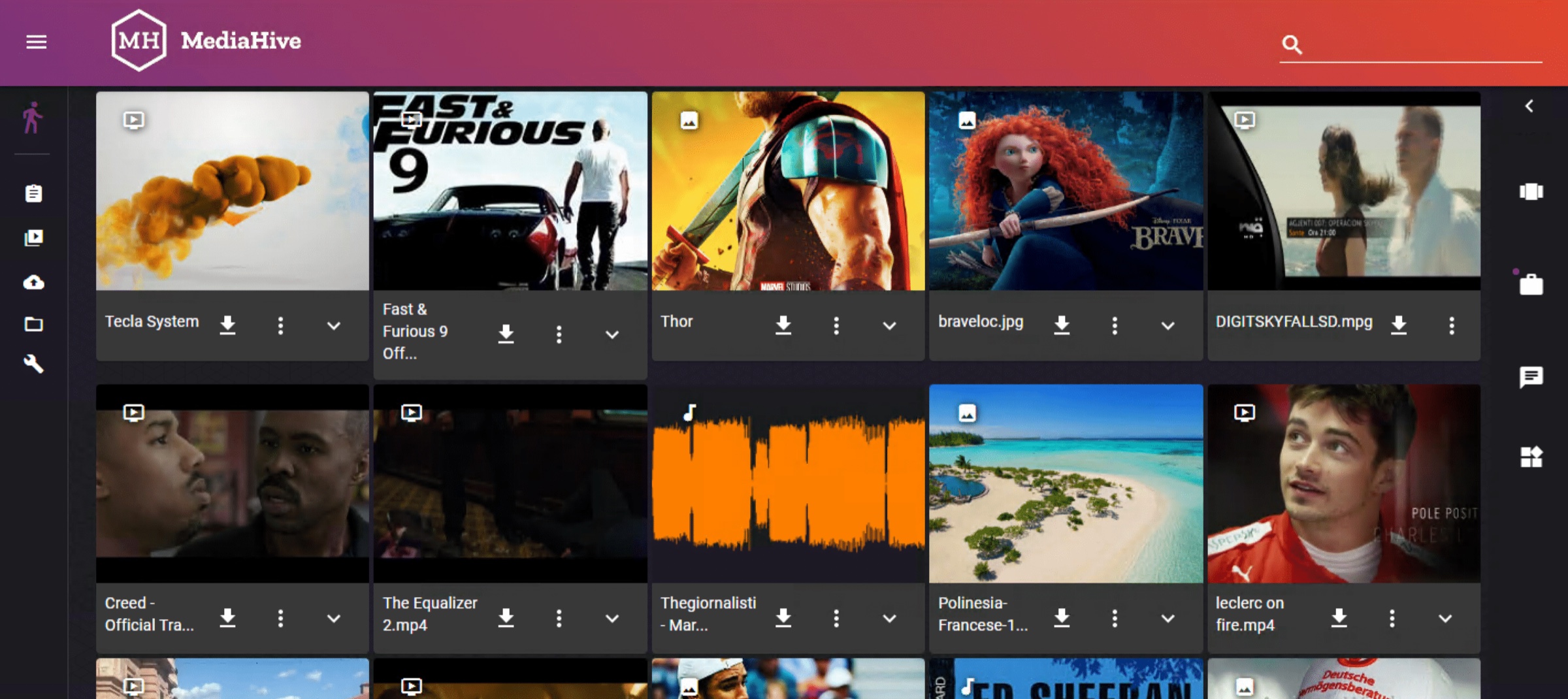
MediaHive is a cloud-ready, scalable media asset management solution for broadcasters, content creators and enterprises. It lets users store, tag, search, edit, share and distribute video, audio, documents and subtitles through one web interface — reducing production time and opening up content monetisation across platforms.
Every company is a media company
Creating, indexing, storing and publishing content across channels is now a standard task rather than a specialist one. MediaHive lets people think about the content and the storytelling instead of the workflow behind it.
From a small team to a large enterprise
The same platform suits a small media company and a large enterprise, and integrates into an existing environment rather than replacing it — TV broadcasters, post houses, advertising agencies, government organisations.
No installation, no client rollout
Any browser on any operating system. Users work from inside and outside the organisation while the security policy is preserved. A new user needs an account, not a desktop deployment project.
Capabilities
What MediaHive actually does
Search anyone can use on day one
A powerful search engine with Google-style search and preview, plus comprehensive advanced search that lets you customise the queries. The simple box is what gets the platform adopted; the advanced query is what keeps the archivists.
Storage agnostic, genuinely
Any NAS, DAS or SAN over fibre, iSCSI or SAS. Thanks to the micro-service architecture it is possible to activate plug-ins for third-party tape library storage and disk archive systems.
LTO and cloud-based storage integrate as plug-ins for archiving and restoring on user request — from a single drive up to tape libraries with hundreds of slots, and cloud archive alongside.
Transcoding built in
The Streamfly engine reads and generates MPEG-2, XDCAM, DV, DNxHD, AVC-Intra, IMX, MPEG-4, Apple ProRes and WMV, wrapped in MXF, MOV and AVI, up to 4K. Proxies are generated automatically in MPEG-4 so every user can preview content and build an EDL. Common document formats are supported too.
Editing in the browser, frame accurate
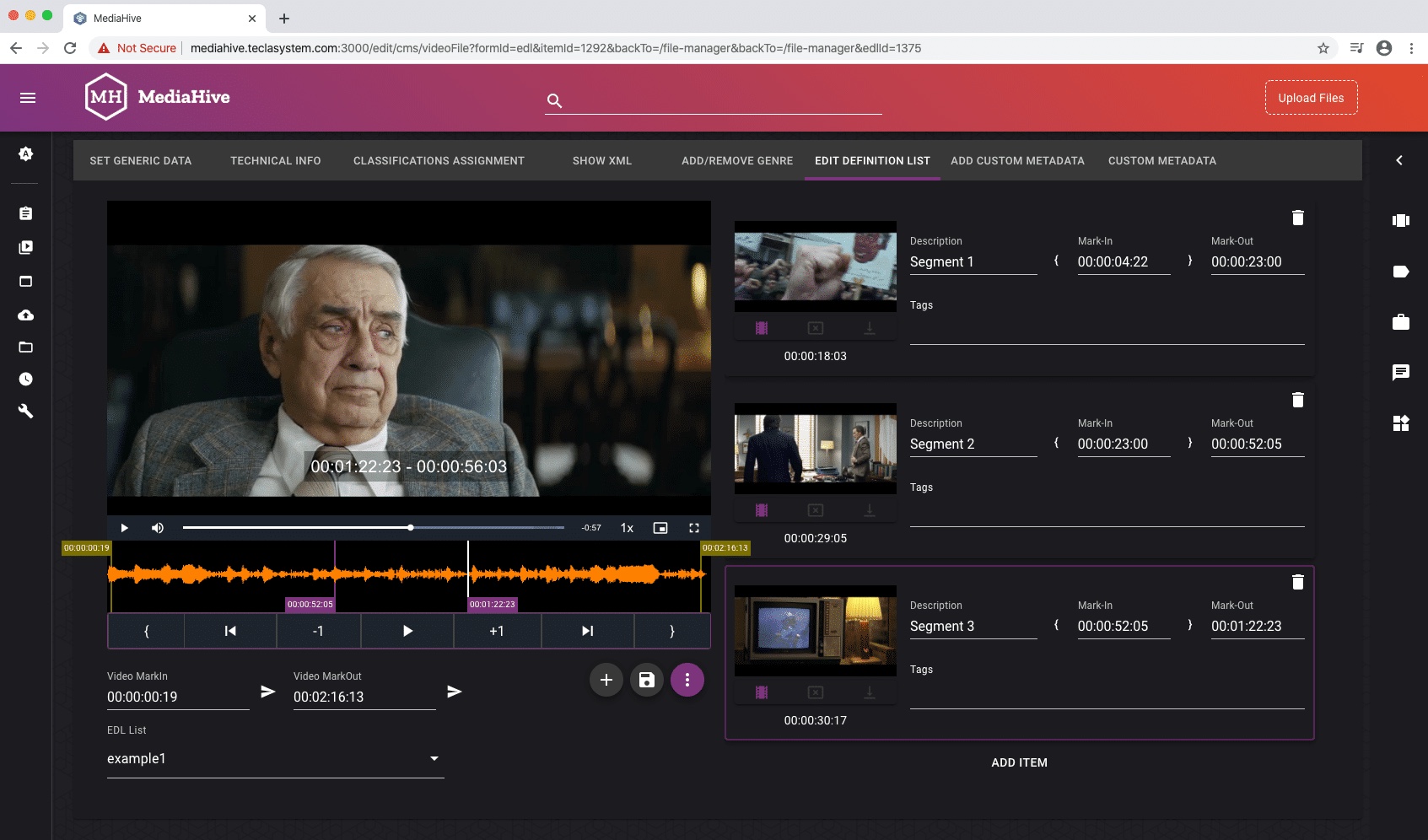
Using collections — what editors call bins — users generate sub-clips or entirely new content in whatever format the destination needs. The editing tool is browser-based and frame accurate: mark the sections to cut and trim, and at the end the high-resolution transcoding engine retrieves the source media and generates the new essence as specified.
XML export to Final Cut Pro and Adobe Premiere CC covers the hand-off when a job graduates to a full NLE.
Workflow engine, not just a folder
Manual upload, automatic upload through watch folders, automatic metadata import and collections management come as standard. The workflow engine supports everything from a single simple task to multiple complex steps, and the multi-tenant engine lets one instance serve several groups of users with separate privileges.
A plug-in architecture that has been used
MediaHive was designed to be extended with third-party plug-ins, and a wide range already exists: OTT and social media publication, automatic file-based QC, content sharing by email, AI speech-to-text and scene recognition, archive connectors. New custom plug-ins can be developed for a specific workflow — which is normally faster than bending the workflow to the product.
In the interface
See it working
MediaHive in production. These screenshots come from live deployments — an updated set is on the way.
Feature list
Everything MediaHive ships with
Interface and access
- Web-based user interface, no client installation
- Preview video with streaming functionality, including frame by frame
- Powerful search engine with Google-style search
- User management with LDAP integration
- Advanced user administration and policy management
- Multi-tenant engine
Media handling
- Supports all popular media files — video, audio and images — up to 4K
- Document management: doc, docx, pdf and other major formats
- Automatic generation of proxy files in MPEG-4
- Built-in high-resolution transcoder with watermarking options
- Fingerprinting functionality
- Built-in rough-cut video editing, frame accurate
- Trimming tool, subtitle and closed-caption preview
Metadata and workflow
- Metadata management with custom metadata
- Upload single files, or automatic import through watch folders
- Automatic metadata import and collections management
- Workflow integration with XML and FTP management
- Sub-clip, EDL and metadata management
Storage and archive
- Works on local storage, virtual environments or cloud
- NAS, DAS and SAN over fibre, iSCSI or SAS
- Plug-in for third-party tape library and disk archive systems
- LTO and cloud archive integration
- Manage multiple storage pools
AI and automation
- Plug-in for AI — speech-to-text and scene recognition
- Automatic file-based QC
- Automatic metadata enrichment
Publishing and integration
- XML export for Final Cut Pro and Adobe Premiere CC
- YouTube, Facebook, Instagram and X plug-ins
- Dropbox, OneDrive and Google Drive integration
- Amazon S3 support
- Plug-in to share content via email
- API integration for third-party plug-ins
Specification
The numbers, in full
Need a signed-off configuration for a tender? Ask and we will send the full technical annex with the exact build for your channel count.
Request the technical annex| Platform | |
|---|---|
| Interface | Fully web-based, any browser, any operating system, no client installation |
| Architecture | Micro-services, plug-in based, multi-tenant |
| Deployment | Local storage, virtual environment or cloud |
| Media | |
| Resolution | Up to 4K |
| Transcoding engine | Streamfly — MPEG-2, XDCAM, DV, DNxHD, AVC-Intra, IMX, MPEG-4, Apple ProRes, WMV |
| Wrappers | MXF, MOV, AVI |
| Proxies | Automatic MPEG-4 proxy generation |
| Documents | doc, docx, pdf and other major formats |
| Storage | |
| Direct | NAS, DAS, SAN over fibre, iSCSI or SAS |
| Archive | Third-party tape library and disk archive via plug-in; LTO from a single drive to libraries with hundreds of slots |
| Cloud | Cloud archive, Amazon S3, Dropbox, OneDrive, Google Drive |
| Editing | |
| In browser | Frame-accurate video and audio editing, collections (bins), sub-clip generation |
| Export | High-resolution re-transcode on completion; XML export for Final Cut Pro and Adobe Premiere CC |
| Users | |
| Authentication | LDAP integration |
| Administration | Advanced user administration and policy management, multi-tenant privileges |
Deployment
On-premise
Runs on standard enterprise servers in your own plant. No proprietary hardware, no vendor-locked appliance, no forklift upgrade.
Hybrid
Keep the signal path local and move the elastic parts — transcoding, archive, disaster recovery — to the cloud, one workflow at a time.
Cloud
The same build, deployed on the major clouds. Identical interfaces, identical behaviour, identical support contract.
Integrations
It has to work with what you already run
Identity
- LDAP
Cloud drives
- Dropbox
- OneDrive
- Google Drive
- Amazon S3
Publishing
- YouTube
- X
- Email sharing
Editing and products
- Final Cut Pro XML
- Adobe Premiere CC XML
- Dynamo
- Ingrid Capture
- Videologger
Typical use cases — TV stations · Post-production houses · Advertising agencies · Corporate media and marketing teams · Government organisations · Museums, education and associations
Continue
Works well alongside
See MediaHive on your own material
We run demos with your formats, your protocols and your constraints — not a canned dataset.